Systems & developer tools
Firmware workbench
Inspect bytes. Understand every edit.
A local browser workbench for inspecting firmware containers, reviewing byte changes, and exporting an auditable result.
Try the included synthetic example without supplying a device image. Files are processed in browser memory. The tool does not flash hardware.
- file processing
- In-browser
- reversible editing workflow
- Undo
- export provenance
- SHA-256
- Contribution
- Browser workbench & tooling extensions
01 / The problem
Inspect bytes. Understand every edit.
Binary editing tools can make it easy to change a file and hard to understand what changed. Firmware work adds another challenge: a recognized container does not guarantee that every internal resource is understood.
I built a browser workbench around documented firmware codecs, with raw inspection, profile-gated resource editing, undo, and an export manifest. A synthetic example and before/after byte review make the editing workflow possible to explore without vendor firmware.
02 / In practice
Follow the workflow.
Load the synthetic example to explore the raw editor.
Make a small edit and compare the original and current bytes.
Undo the change or export a file with a reviewable manifest.
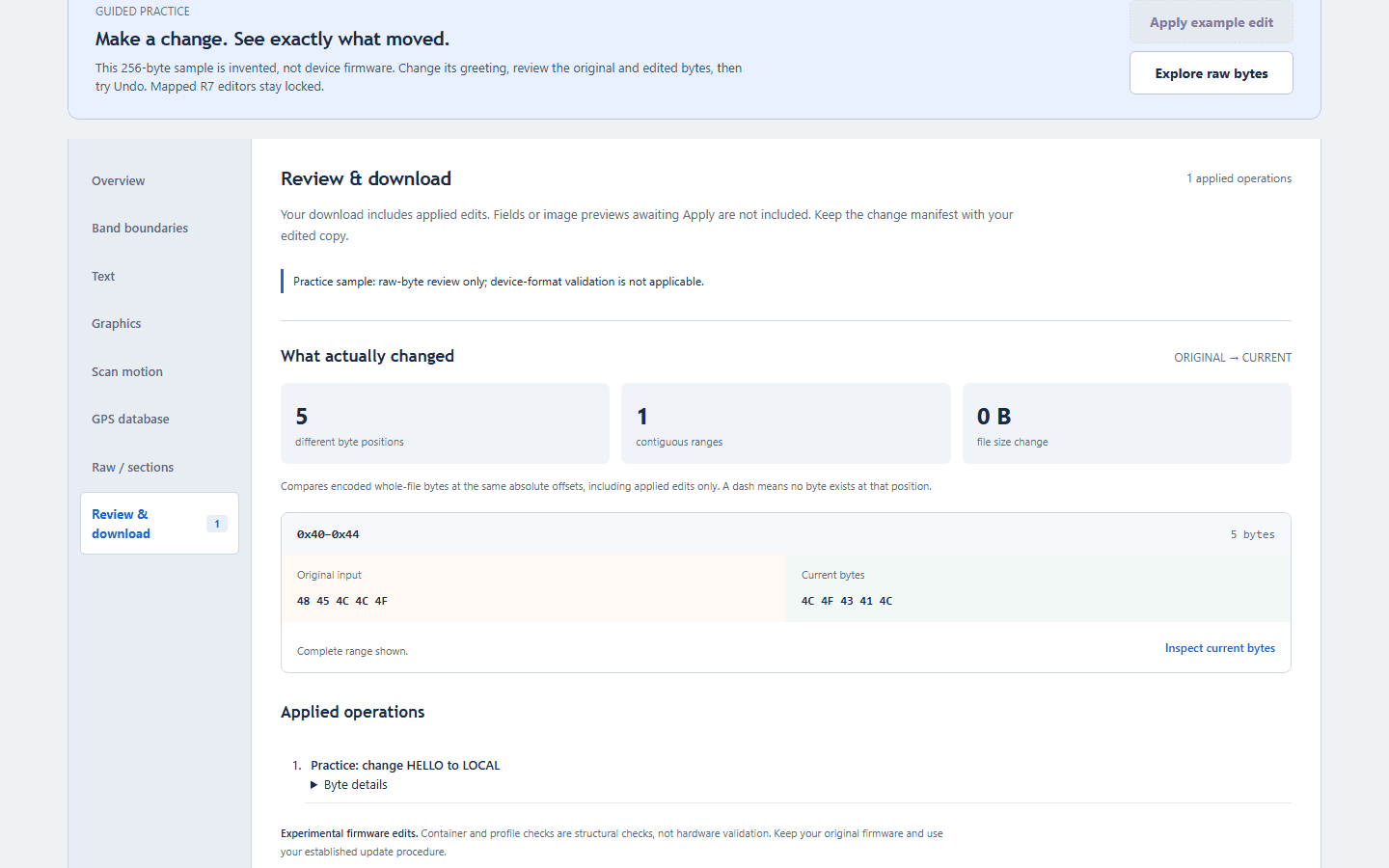
Try the included synthetic example without supplying a device image. Files are processed in browser memory. The tool does not flash hardware.
03 / Under the hood
How the pieces fit.
- 01
Inspect
Container detection and binary inspection establish what is known about the supplied file.
- 02
Gate
Named resource editors depend on verified profiles. Unsupported layouts remain in raw inspection mode.
- 03
Edit & review
Atomic edits and undo preserve a reviewable session. Byte comparison shows the net difference from the original.
- 04
Export
The workbench creates an edited file and SHA-256 manifest. Hardware flashing stays outside the tool.
04 / Engineering judgment
Decisions & tradeoffs.
Make uncertainty visible
The interface distinguishes format detection from verified resource mappings. It avoids presenting guessed offsets as supported editors.
Review the result as well as the actions
An operation log explains how a session evolved; before/after bytes show its final effect. Undoing an edit should remove it from the net diff.
Keep research provenance intact
Old-model transforms and container research build on AngeloD2022’s uniden-firmware-tool under AGPL-3.0. My work adds the browser workflow and tooling around that foundation.
05 / Inspect the work