Data workflows & desktop software
Row2Reach contact studio
Make every row reviewable.
A local contact-data workspace with CSV validation, personalized draft previews, duplicate checks, and controlled exports, built alongside an Electron enrichment app.
Start with fictional contacts or inspect CSV locally. The studio uploads nothing, calls no enrichment services, and sends no email.
- quotes, commas & multiline fields
- CSV fidelity
- template and data validation
- Per-record
- draft review & export
- Local
- Contribution
- Personal desktop app & data tooling
01 / The problem
Make every row reviewable.
A contact workflow starts with messy tabular data. A quoted comma can shift columns, a duplicate can become a repeated message, and an unknown template variable can slip into a draft without a deliberate review step.
I added a local contact studio that parses, validates, and previews the data before export. Its shared CSV parser also improves the desktop editor and merge flow, preserving quoted fields and embedded newlines through roundtrips.
02 / In practice
Follow the workflow.
Paste or open CSV and map the email column.
Inspect duplicates, missing values, and rendered messages for each contact.
Filter the review queue and export ready drafts without sending them.
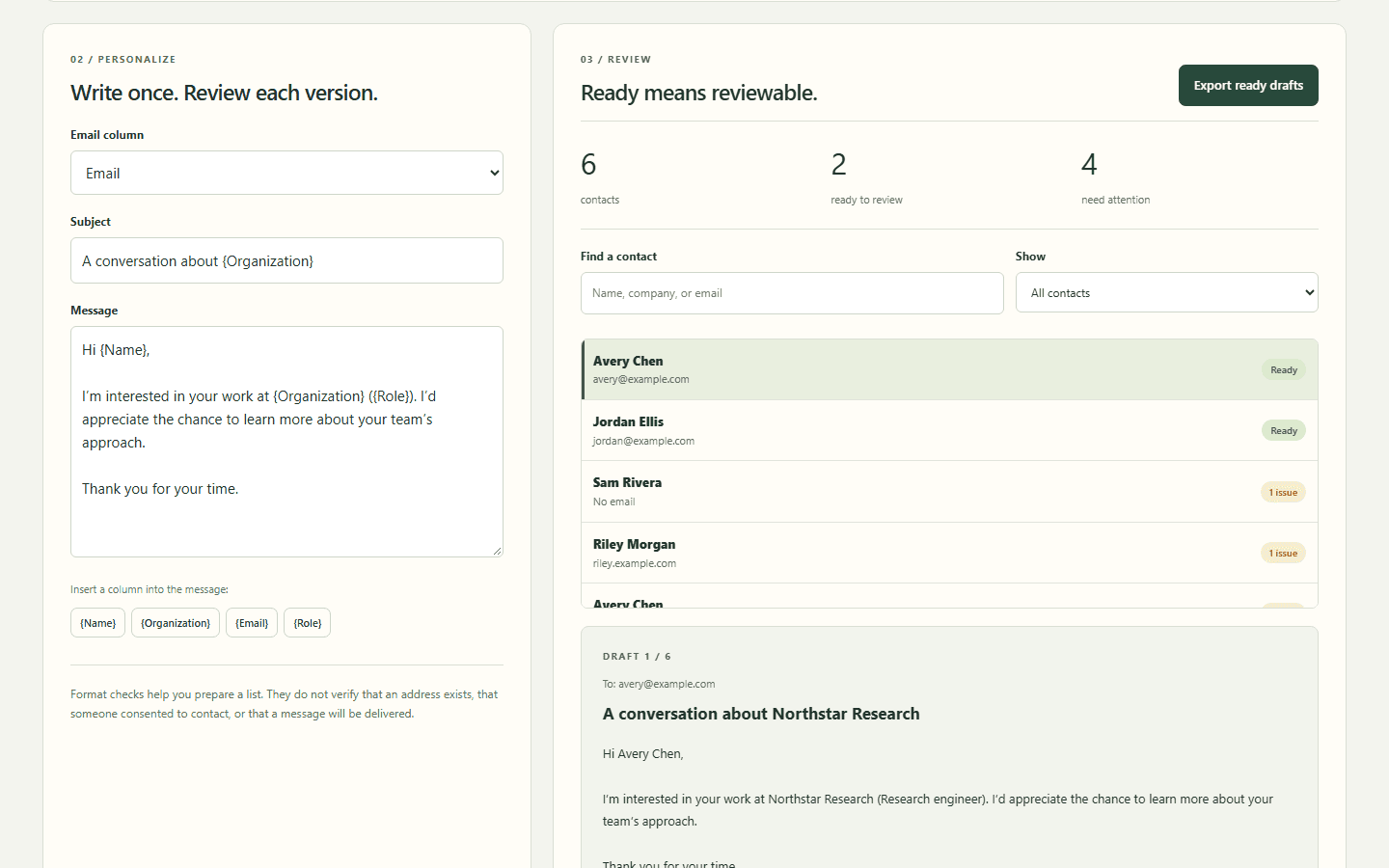
Start with fictional contacts or inspect CSV locally. The studio uploads nothing, calls no enrichment services, and sends no email.
03 / Under the hood
How the pieces fit.
- 01
Parse
A shared state-machine parser preserves quoted commas, escaped quotes, and embedded newlines.
- 02
Validate
Table shape, column names, email syntax, duplicates, and required template values are checked independently.
- 03
Preview
Template substitution is rendered as text. Each contact gets its own evidence and draft review.
- 04
Export
Only ready records enter a spreadsheet-safe CSV of drafts. External email actions remain outside the studio.
04 / Engineering judgment
Decisions & tradeoffs.
Reject ambiguity instead of shifting columns
Malformed quoting and inconsistent record widths stop the review with a useful error. An old valid export is disabled when the input changes.
Share the fix with the desktop application
The CSV parser is used by the existing editor and merge flow, so the improved demo is backed by a production data-handling improvement.
Keep preparation independently usable
The browser workspace needs no provider keys, authentication, or Electron runtime. It is useful for data review even when enrichment services are unavailable.
05 / Inspect the work